
What PawBooking Is Actually Like to Use
Most software pages tell you what a product does. This one tells you what it actually feels like to use it, from the moment you sign up to the point where it becomes a normal part of how you run your business. If you have been hesitant about trying booking software because you are not sure it will suit you, this page is for you.
No credit card required
Signing up
You go to pawbooking.app and click Start free. You do not enter a credit card. You create an account with your email address, or log in with Google if you prefer. That is it. You are in.
There is no welcome survey asking about your business size, your number of staff, or your pricing structure. No onboarding checklist with twelve steps before you can do anything useful. You land in the app and you can start straight away.
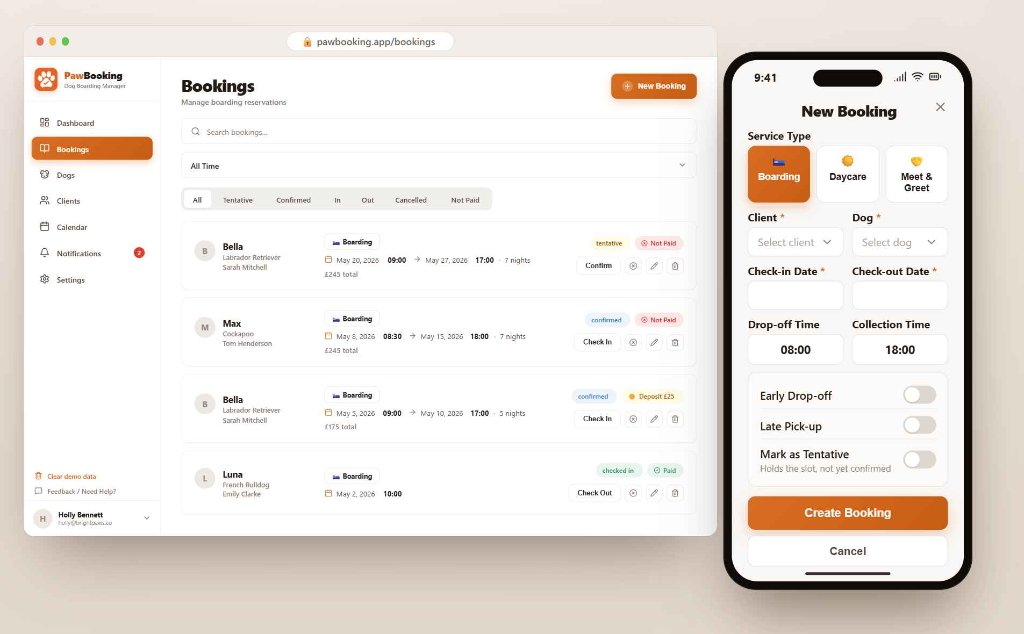
Adding your first booking
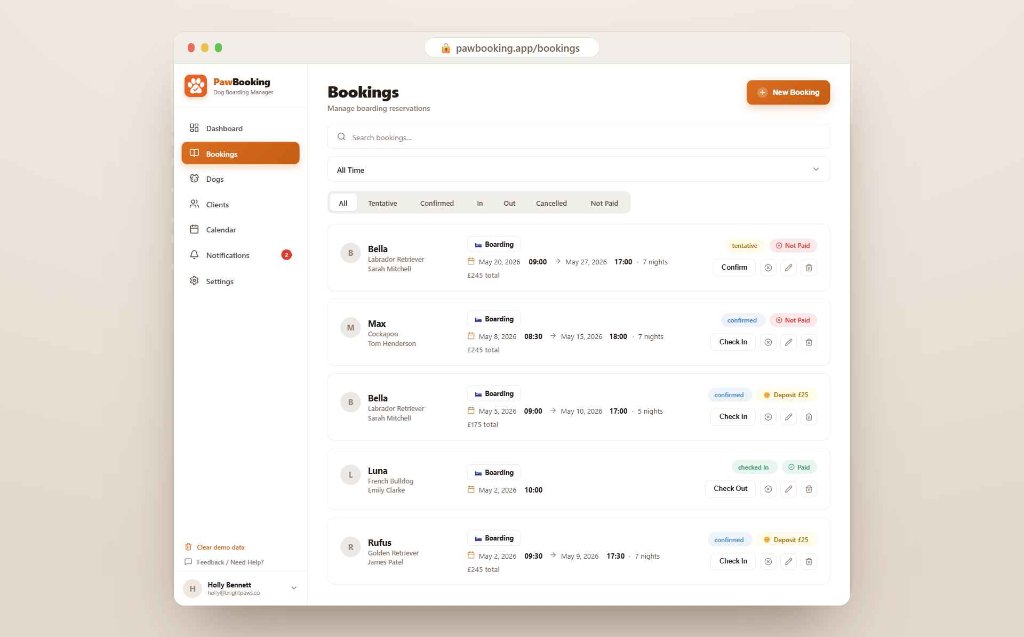
The first thing most people do is add a booking to see how it works. You click to add a new booking, fill in the dog's name, the owner's details, and the dates of the stay. You can add care notes at the same time: feeding instructions, medication, anything the owner has told you.
The whole process takes about two minutes. If you have the details in front of you, probably less.
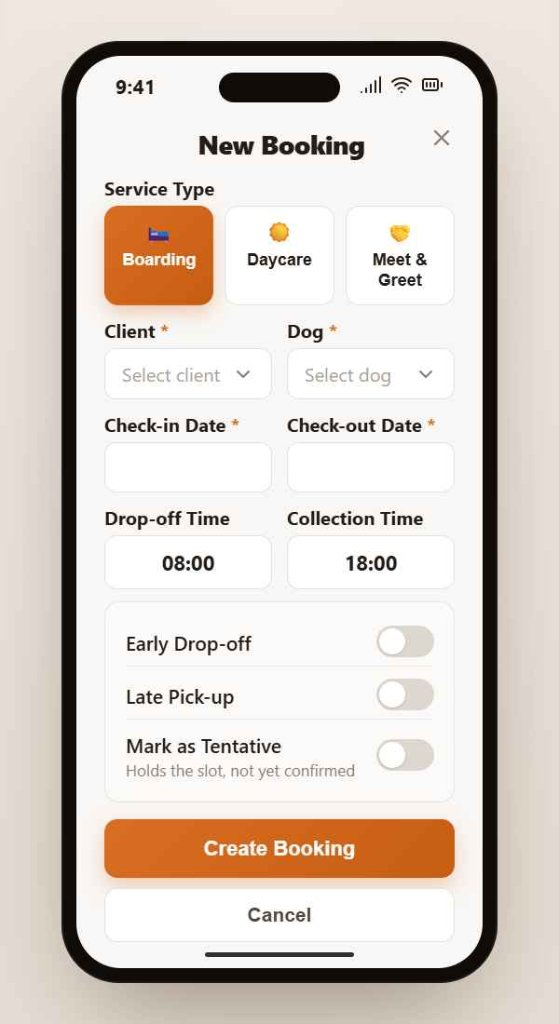
When you save it, the booking appears in your calendar. You can see the dates, the dog, and the status at a glance. If you need to check the care notes, you open the booking and they are right there.
A normal working day
On a normal day, you open PawBooking and you can immediately see who is currently staying, who is arriving soon, and what the next few weeks look like. You do not have to dig through messages or cross-reference a spreadsheet to get that picture. It is just there.
If an owner messages to ask about dates, you check the calendar in seconds. If you need a feeding reminder for a dog currently in your care, you open their profile and it is there. If you want to mark a booking as checked in, you update the status and move on.
Most users spend a few minutes in the app each day. Not because it requires it, but because that is genuinely all it takes.
When something changes
Owners change dates. Dogs come back for repeat stays. Care notes get updated between visits.
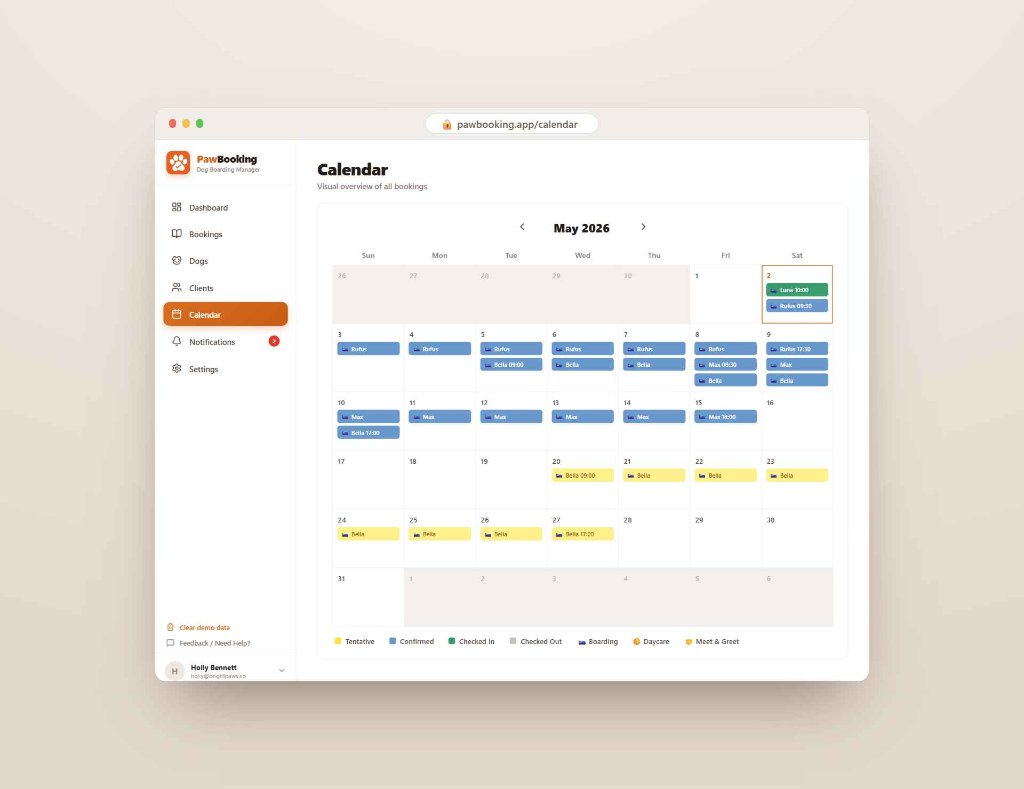
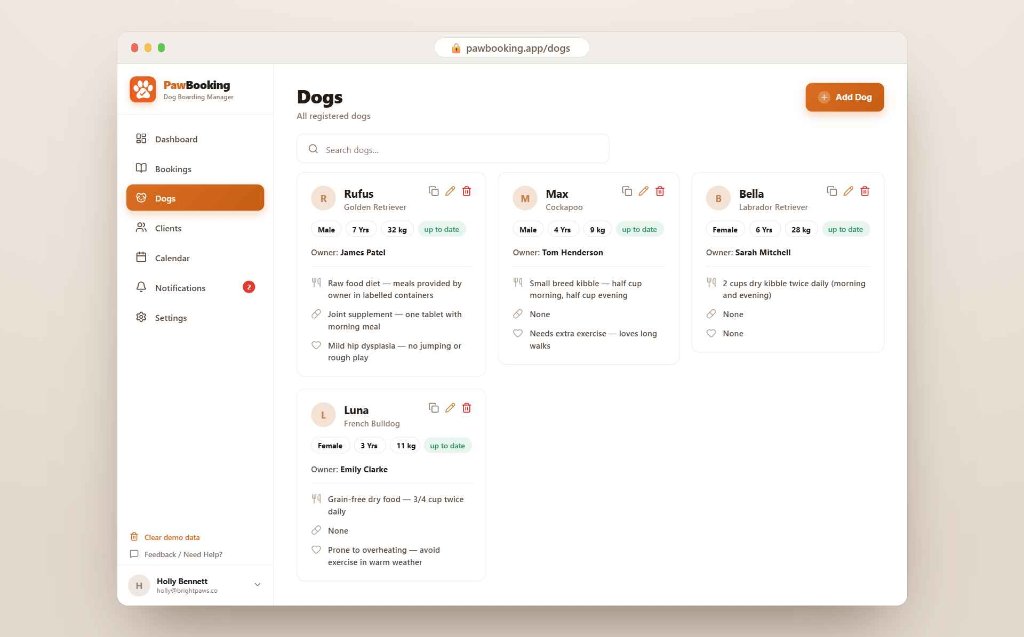
In PawBooking, a dog's profile stays between bookings. When the same dog books again, the details are already there. You update anything that has changed and the booking is ready. You are not starting from scratch every time.
If something comes up and you need help, you can reach out and get a personal response, not an automated one. No automated support queue, no help centre rabbit hole.
What it does not do
PawBooking does not send automated emails to your clients, manage staff rotas, process payments, or run your marketing. It is not trying to run your whole business.
It does one thing: keeps your bookings, your dog profiles and care notes organised in one simple place so you spend less time on admin and more time with the dogs in your care.
If you need more than that, PawBooking may not be the right fit. But for most independent dog boarders, that is exactly what they were looking for.
Who this works best for
FAQ
The best way to know whether PawBooking works for you is to try it. It takes about two minutes to sign up and add your first booking.
No credit card required
We use cookies to keep you logged in and to understand how the Service is used, including for analytics and marketing purposes. See our Privacy Policy.